
Set up my self hosted FreshRSS server
Project URL: htttps://freshrss.rcomputing.co.uk
I was thinking about how I could speed up and make reading IT-relevant news more productive while staying up to date. After a little research, I found Chris Titus's videos on YouTube.
RSS is a better way to use the Internet
What I need for this project:
- A self-hosted FreshRSS server
- A solution to scrape websites that don't provide an RSS feed
Step 1: The plan
I already have a working VPS server on Oracle Cloud (free tier) that I use to host my website and a proxy server. I checked my website loading — it's pretty low because I don't have high website visits.
I decided to use the same server for this project via Docker. This is the most effective and fastest way. I already have a running Docker network and an NGINX proxy server for SSL certificates and domain names.

Step 2: Setting up the FreshRSS Docker server
For the best results, I used Chris Titus's walkthrough video and his blog post "Why We Don’t Browse the Internet Anymore". In the walkthrough video, he used the Docker run command, but I prefer using a Docker Compose file because it is easier for me to back up in the future.
So I took his settings from the video and the blog post and modified them based on my previous two Dockers (the ones I used for the WordPress server and my proxy server). On my server, I made a separate directory for the FreshRSS Docker Compose file.
So I went to my Docker directory and created a freshrss directory. Here I used Nano to create the docker-compose.yml file. I linked below my GitHub where you can see my docker-compose file.
mkdir freshrss
nano docker-compose.yml
You can see in the compose file that I set the FreshRSS Docker to the same Docker network I used previously for my WordPress and proxy server, so they can communicate with each other. Also, because I already use port 80 for WordPress, in the Docker Compose file I forwarded the FreshRSS server to port 83. Here, I needed an additional step to allow port 83 on the Ubuntu server temporarily until I set up the domain name in the proxy server.
sudo ufw allow 83Now we can start the Docker server. In the picture below you can see the outcome of the command. There are no errors, so we should be able to reach our FreshRSS server using the VPS server's IP address and port 83.
docker compose -f docker-compose.yml up -dStep 3: Set up SSL and domain name
Now that the FreshRSS server is running, the next step was to set up a subdomain on Cloudflare under my rcomputing.co.uk domain.
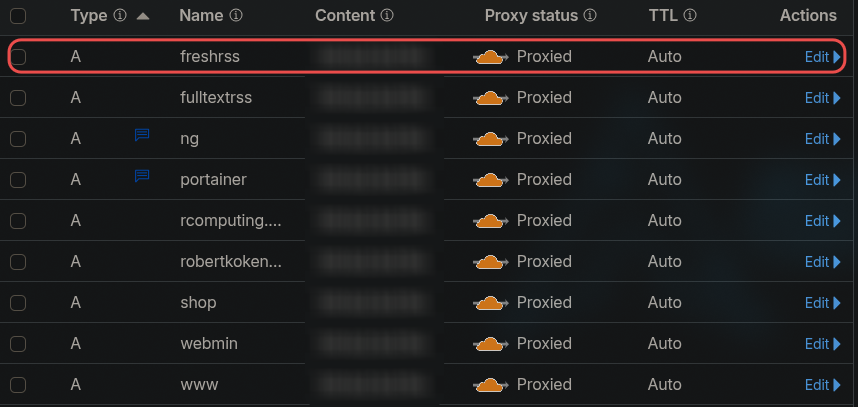
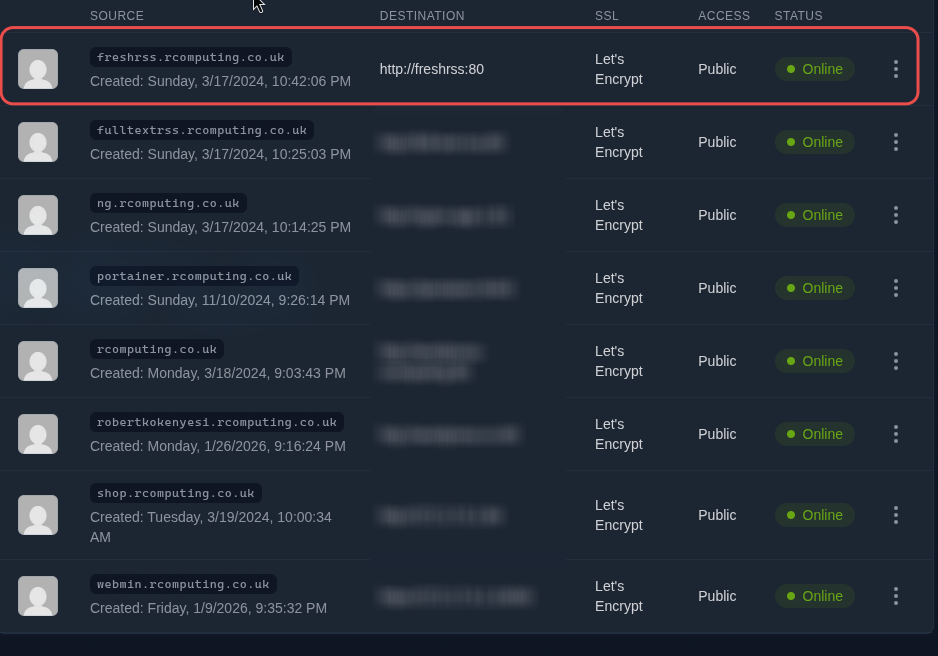
After this, I logged in to my proxy server and added the subdomain, forwarding it to my FreshRSS Docker container using the basic port 80. I tested it, and after I saw it worked, I deleted port 83 from the firewall. I also composed down the Docker file and commented out the port section from the compose file. Because I set up the subdomain, I no longer need to forward it to port 83.
Step 4: Feed Aggregation
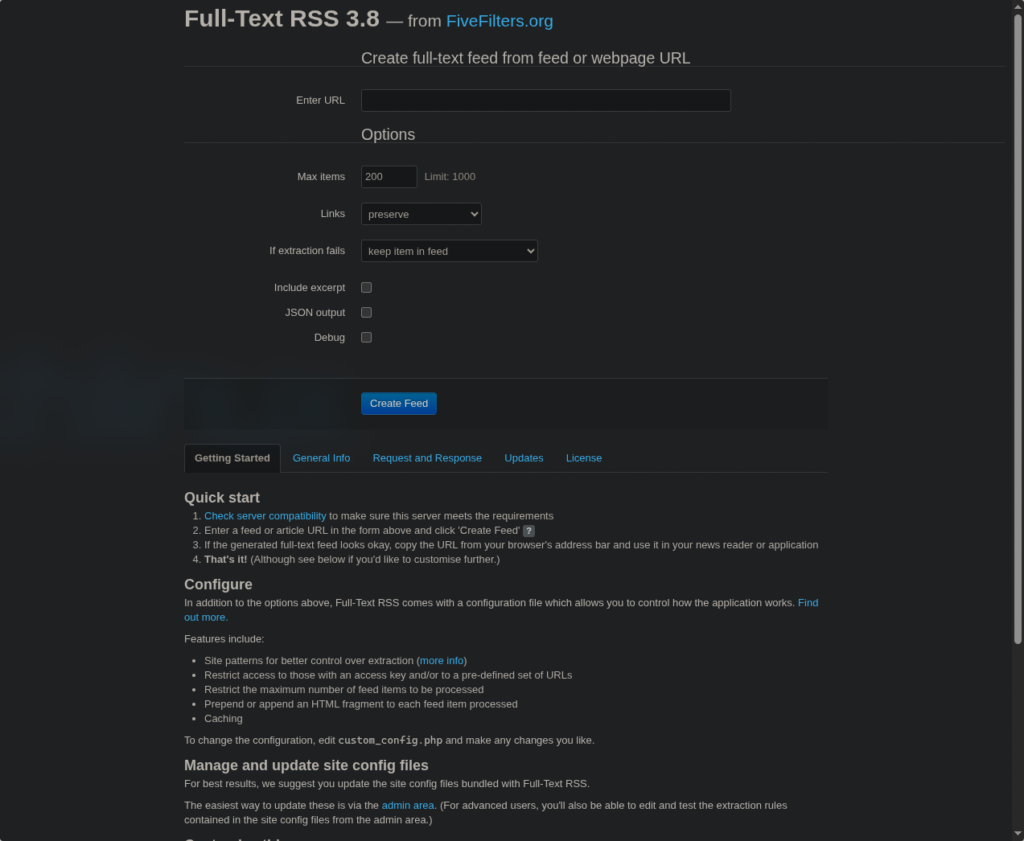
Not every website has an RSS feed, so I needed a solution for feed aggregation. Here I also used Chris Titus's walkthrough video and his blog post. I used the same tool he did — full-text-rss — but instead of using Docker run, I used a Docker Compose file again. You can find the link to my GitHub below.
full-text-rss docker-compose.yml
Basically, I did the same as with FreshRSS:
I made a directory in the docker directory for full-text-rss. Here, using Nano, I created the docker-compose.yml file. I saved it and started the Docker.
docker compose -f docker-compose.yml up -dYou can see in the Docker Compose file that after docker started, I was able to reach it via the VPS server's IP address and port 82. After a quick test, I also set up a subdomain for full-text-rss in my Cloudflare account and did the same settings in the proxy server as with FreshRSS, forwarded the subdomain to the full-text-rss container using port 80.
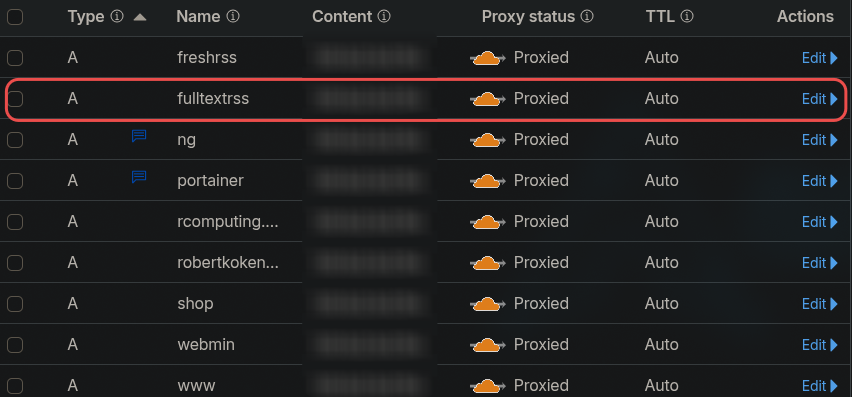
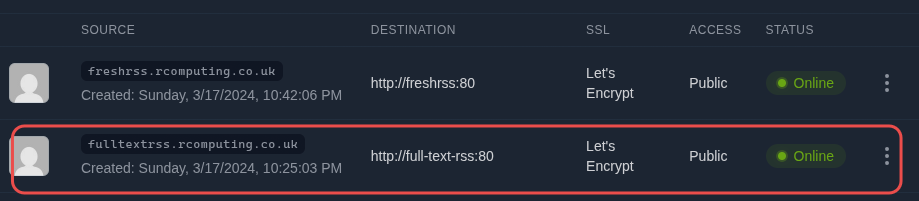
After this, I composed down the Docker, edited the docker-compose file (commented out the port sections), composed up again, and removed port 82 from the firewall rules.
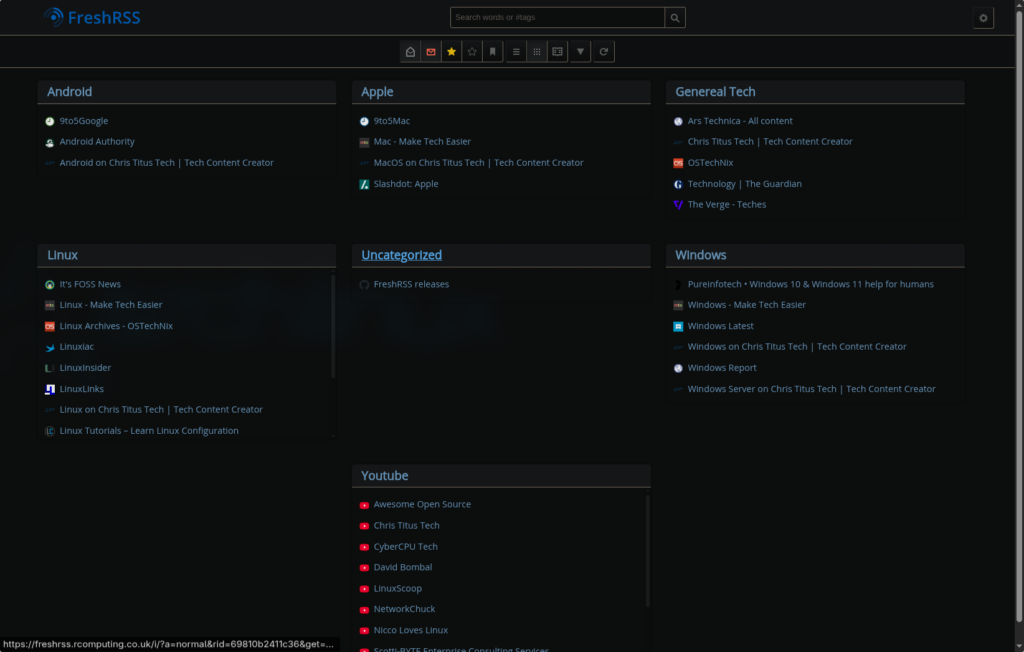
Now I have a self-hosted FreshRSS server with a feed aggregator.
freshrss.rcomputing.co.uk
fulltextrss.rcomputing.co.uk
Feel free to reach out if you'd like more technical details.
Robert Kokenyesi.